Section 01
Safety first
- Wire with the USB cable unplugged.
- The ring's brightness is capped in firmware (MAX_BRIGHTNESS) so it runs safely from USB power. Do not raise it without a supply that can carry the current.
- The distance sensor is a Class 1 infrared laser device. It is eye-safe in normal use; do not stare into its window at close range.
Section 02
Meet LumaLight
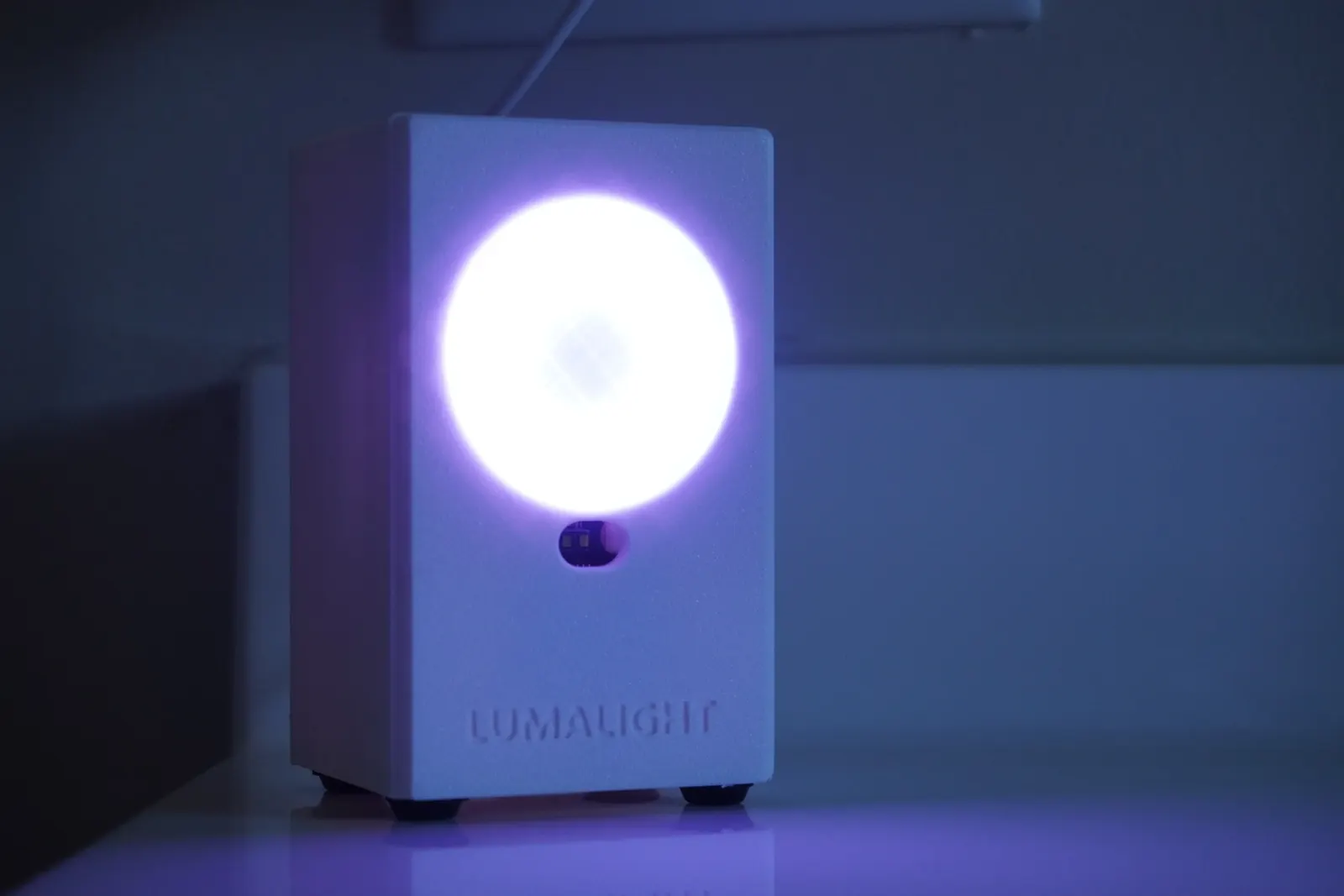
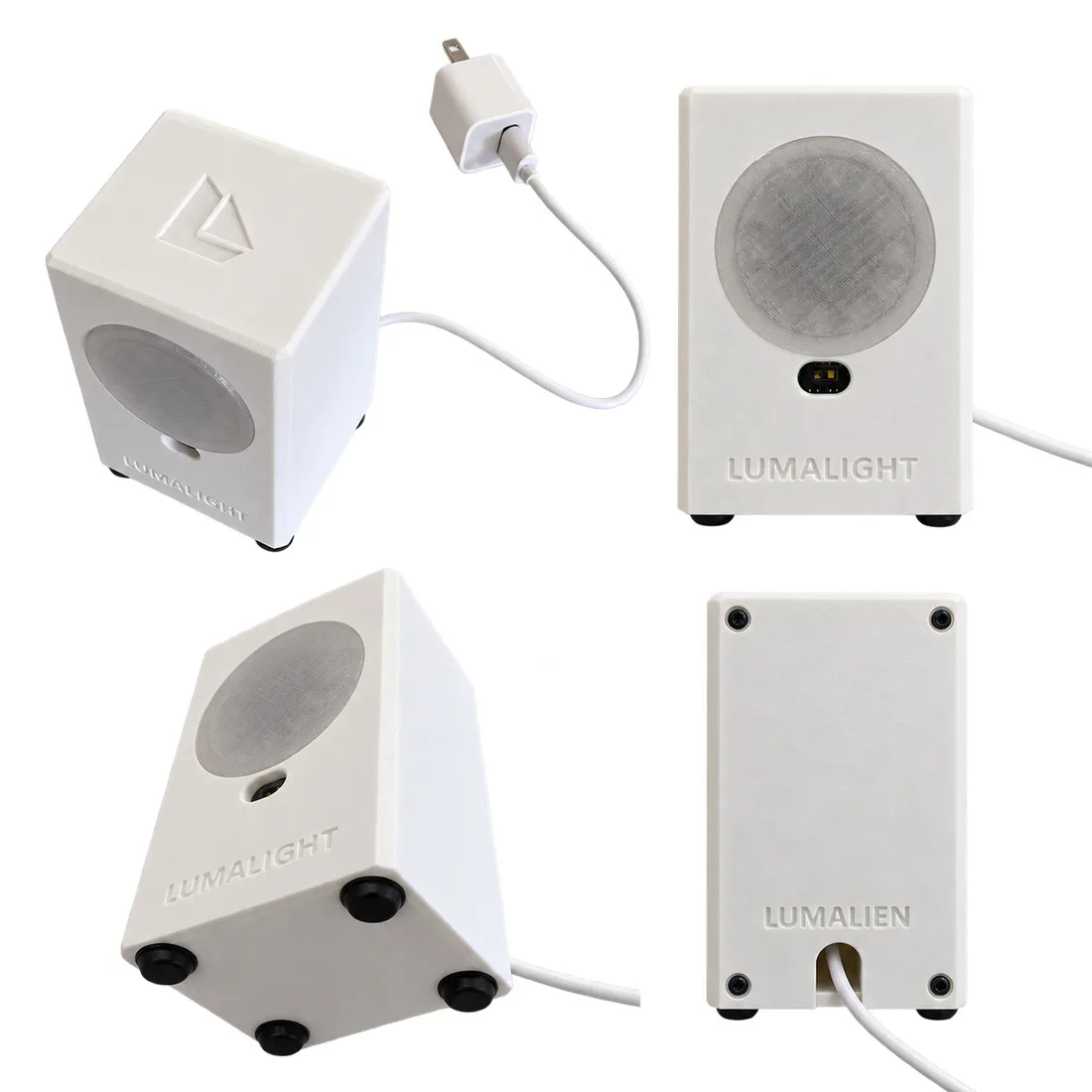
LumaLight is an upright white box, 62 × 56 × 100 mm. The front carries a 46 mm frosted halo with the NeoPixel ring behind it and a small window for the distance sensor below. The back is a screwed-on panel that carries the ESP32, so the whole harness comes out with it.
Section 03
Parts and tools
Nothing ships with LumaLight, so this is your shopping list. BOM.md in the repository is the current version.
Tools you will need
- 3D printer (designed on a Bambu Lab A1)
- Screwdriver for M2.5 self-tapping screws
- Glue for the diffuser and the inlays
- A computer with PlatformIO and a USB data cable
- Calipers, to check the sensor's hole spacing
| Qty | Part | Notes |
|---|---|---|
| 1 | ESP32 dev board (PlatformIO board esp32dev), USB-C | Hangs on the back panel, USB end down. |
| 1 | CQRobot VL53L1X time-of-flight sensor, 23 × 28.5 mm board | With its 6-pin JST cable. |
| 1 | 12-LED NeoPixel ring, GRB, about 37 mm across | Sized for the Adafruit 1643 ring. |
| About 7 | Female-to-female jumper leads | Sensor and ring to the ESP32 pins. |
| 1 | USB-C cable and USB power adapter | Power and first flash. |
| 4 | M2.5 × 6 self-tapping screw | ESP32 top pair, sensor board |
| 6 | M2.5 × 8 self-tapping screw | ESP32 USB-end pair, back panel to body |
| Filament | For |
|---|---|
| White | Body and back panel |
| Transparent | Diffuser |
| Purple | The two logo inlays |
Section 04
Printing the parts
Five parts plus a test coupon. No supports and no inserts. Print in this order.
- 1
The sensor test coupon
STL/test/TEST_SENSOR_POCKET.stl, front face down, about 20 minutes. Push the real sensor board in, run the two screws, look through the window, and check the cable turns under the board.
- 2
The back panel
Outer face on the bed, standoffs up. Screw the ESP32 on with every lead plugged in, and check the housings clear: from the panel's inner face the tips should reach about 25 mm.
- 3
The body, the diffuser and the inlays
The body prints front face down with the open back up, so the plate texture finishes the front. The diffuser prints flange down in transparent filament, and the bed texture frosts it. The two inlays print flat in purple.
Section 05
Wiring
| From | To ESP32 |
|---|---|
| VL53L1X SDA | GPIO 21 |
| VL53L1X SCL | GPIO 22 |
| VL53L1X power | 3.3 V |
| VL53L1X ground | GND |
| Ring data in | GPIO 18 |
| Ring power | 5 V |
| Ring ground | GND |
Section 06
Assembly
Everything is wired on the bench first, so the harness is live before the body is closed.
- 1
Panel and harness
Screw the ESP32 to the panel standoffs, components toward the panel and pins toward you. Feed the USB-C cable through the panel notch from outside and plug it in. Plug the sensor and ring leads onto the pins.
- 2
Sensor
Hold the board by its edges with the JST toward the front wall and the cable hanging down. Push it straight into the pocket from the back until its face sits on the seats, line up the two top holes on the pilots, and drive two M2.5 × 6. Tuck the cable under the board.
- 3
Ring
In from the front through the halo hole, wires first, LEDs facing out, until it rests on the three tabs. Turn it so the solder pads sit between the tabs.
- 4
Diffuser
Glue the diffuser into the front recess. The ring is now captured.
- 5
Close the back
Bring the panel up to the body, fold the leads into the wire bay, seat the lip and drive four M2.5 × 8 from the back. Glue the purple inlays into the top recess.
To service it
Four screws, and the panel comes away with the ESP32 on it and everything still plugged in.
Section 07
Flashing the firmware
git clone https://github.com/patmakesapps/LumaLight.git
cd LumaLight
pio run -t upload
pio device monitor
Build and flash over USB, then watch the serial log at 115200 baud.
To update it over Wi-Fi later, copy include/secrets.example.h to include/secrets.h and secrets.example.ini to secrets.ini, fill in your 2.4 GHz network and a flashing password, and flash once over USB. After that, pio run -e ota -t upload updates the light where it sits.
| Constant in src/main.cpp | Default | Change it when |
|---|---|---|
| CHANGE_MM | 150 | Raise it if the light turns on by itself (steam, mirrors). Lower it if it misses people. |
| ACTIVE_MS | 120000 | You want a longer or shorter on time. |
| MAX_BRIGHTNESS | 110 | Only with a power supply that can carry more current. |
Something not matching up?
If a part is missing, damaged, or your kit does not match a step, stop and get in touch before continuing.