Section 01
Safety first
- Build and wire with the Pi unplugged. Plug in USB-C only when the spine is closed or the guide says to.
- Heat-set inserts are pressed with a soldering iron. Work on a heat-proof surface and let them cool before driving screws.
- Never immerse the soil probe's electronics. Only the probe's prongs go into the soil.
- Your OpenAI API key is a secret. Keep it in the .env file on the Pi, out of chat and out of Git.
Section 02
Meet FLORA
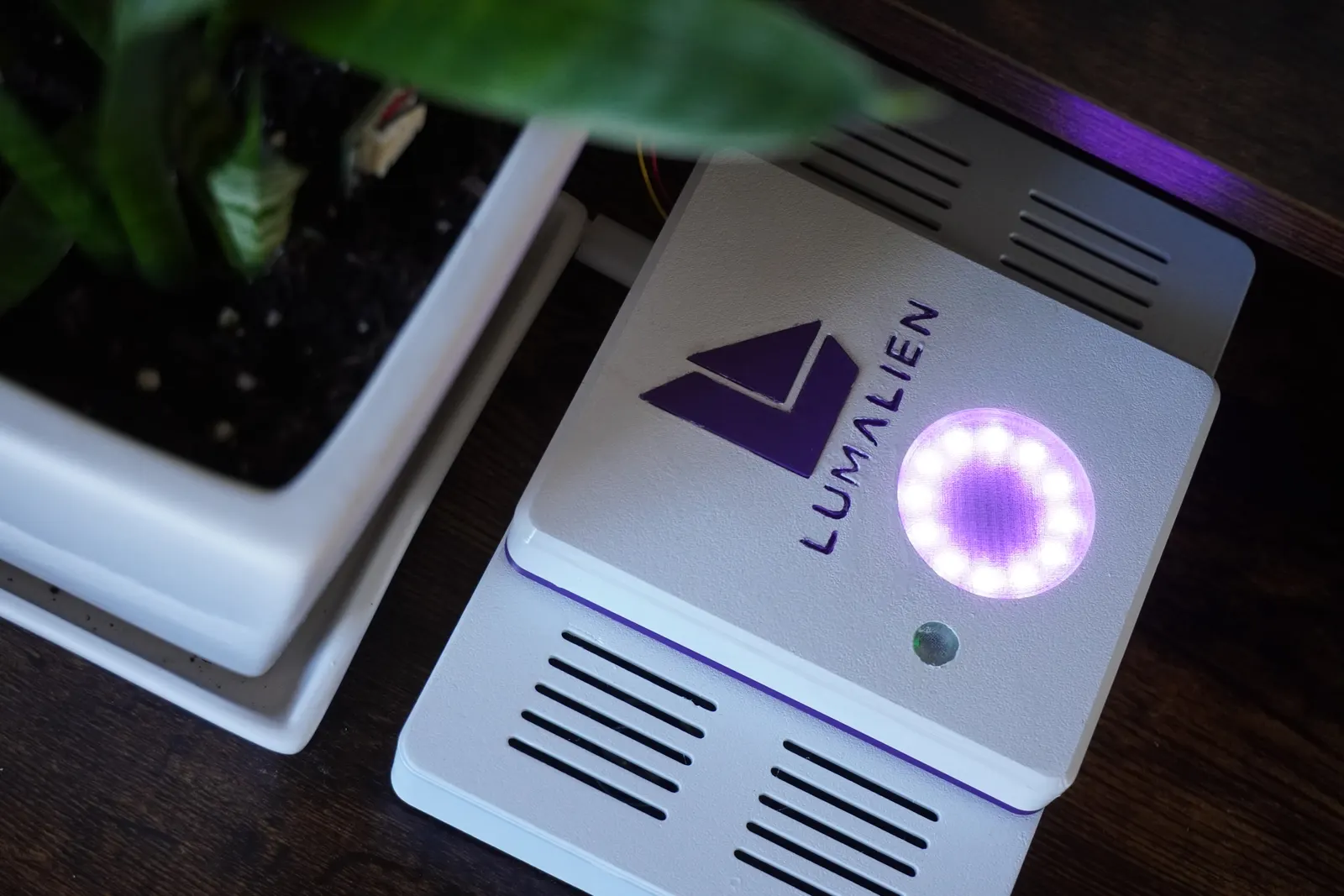
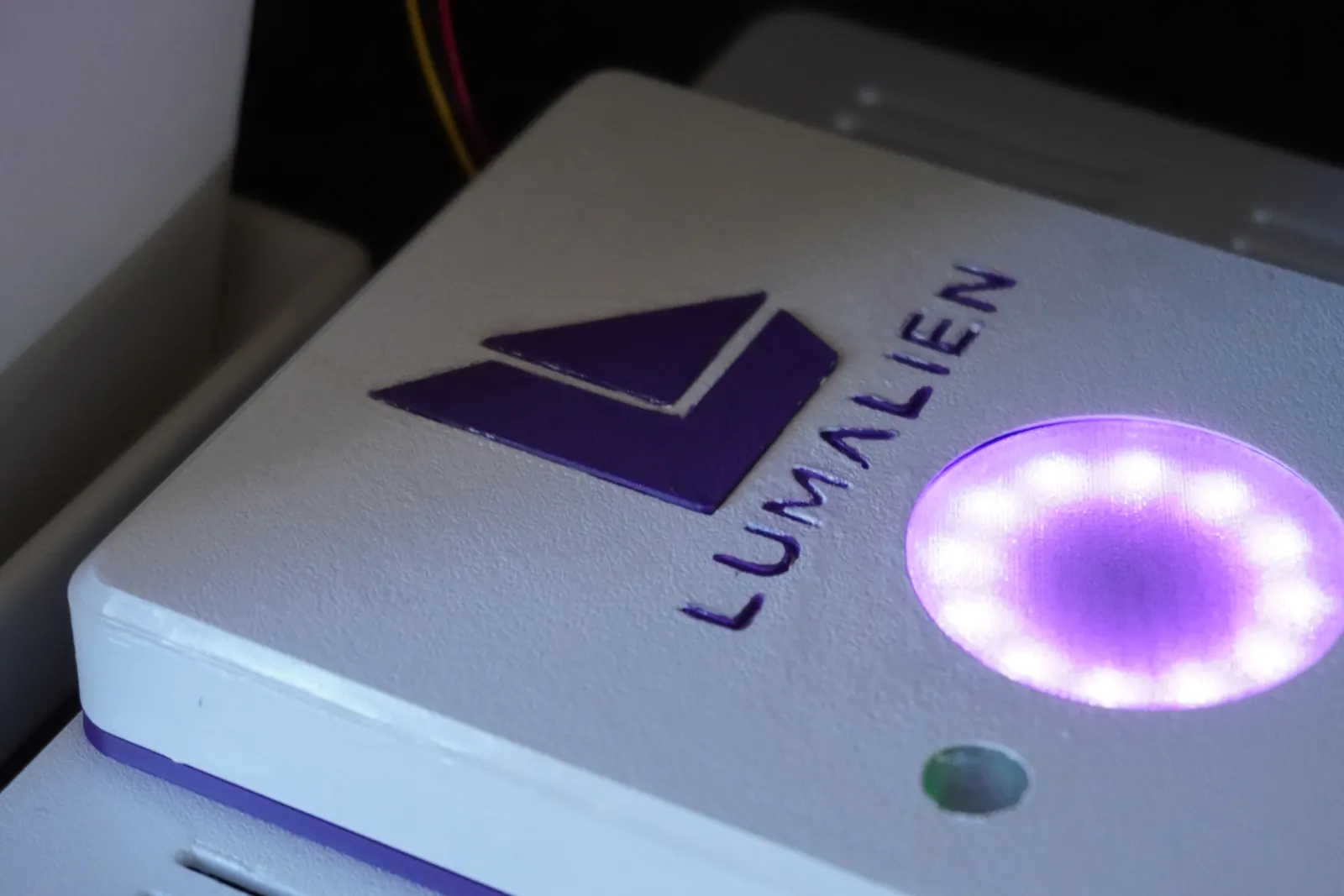
FLORA is a low white console that sits beside a plant. Two speakers lie flat in the wings, the Raspberry Pi 5 and its audio HAT sit between them, and a raised spine on a purple band carries the halo ring and the light sensor. A capacitive probe goes into the plant's soil on a cable from the back.
| Spec | Value |
|---|---|
| Size | 188 × 118 mm tray, 46 mm tall at the spine |
| Compute | Raspberry Pi 5 |
| Audio | Waveshare WM8960 Audio HAT (built-in mics) and two 8 Ω 5 W speakers |
| Sensors | Adafruit 4026 soil probe, 4162 VEML7700 light, 5776 SHT41 temperature and humidity, on a 5625 STEMMA QT hub |
| Light | Adafruit 1643 NeoPixel Ring 12 under a printed halo lens |
| Voice | OpenAI Realtime. Default model gpt-realtime-2.1-mini, voice shimmer |
| Memory | Local SQLite on the Pi. No recordings or transcripts stored |
Voice is online
Microphone audio goes to OpenAI while FLORA is running, billed to your own OpenAI account. The sensor, LED and memory commands work without an API key.
Section 03
Parts and tools
Nothing ships with FLORA, so this is your shopping list. The part numbers are the exact boards the enclosure was modelled around. The full list, kept current, is BOM.md in the flora-cad repository.
Tools you will need
- 3D printer with a 256 × 256 mm bed (designed on a Bambu Lab A1)
- Soldering iron with a heat-set insert tip
- Hex keys or drivers for M2, M2.5 and M3 button heads
- Glue for the inlays, the light window and the speakers
- Zip ties, if you hold the speakers that way
- A computer to flash Raspberry Pi OS and reach the Pi over SSH
| Qty | Electronics | Notes |
|---|---|---|
| 1 | Raspberry Pi 5 | Sits on four M2.5 bosses in the base. |
| 1 | Raspberry Pi 5 USB-C power supply | Enters through the opening in the rear wall. |
| 1 | microSD card | For Raspberry Pi OS. |
| 1 | Waveshare WM8960 Audio HAT | Seated on the Pi. I2C 0x1A, owned by its kernel driver. |
| 2 | Waveshare 8 Ω 5 W speaker | Lie flat in the wings, drivers up. |
| 1 | Adafruit 1643 NeoPixel Ring, 12 LEDs | Under the halo lens in the spine. |
| 1 | Adafruit 4026 STEMMA soil sensor | Capacitive probe. I2C 0x36. |
| 1 | Adafruit 4162 VEML7700 light sensor | Behind the light window. I2C 0x10. |
| 1 | Adafruit 5776 SHT41 temperature and humidity sensor | On the base floor, front left. I2C 0x44. |
| 1 | Adafruit 5625 STEMMA QT 5-port hub | Hangs under the spine top at the rear. |
| 1 | Adafruit 4397 STEMMA QT to female sockets cable | Pi I2C pins to the hub. |
| 1 | Adafruit 4424 JST PH to STEMMA QT cable | Soil sensor to the hub. |
| 2 | Adafruit 4401 STEMMA QT cable, 200 mm | Light and temperature sensors to the hub. |
| 3 | Female jumper wires | NeoPixel ring to the header: 5 V, ground, data. |
| Qty | Hardware | Used for |
|---|---|---|
| 9 | M2 heat-set insert, 3.2 mm wide, 4 mm long | Temperature sensor, halo retainer, light sensor, hub |
| 4 | M2.5 heat-set insert, 3.5 mm wide, 4 mm long | Raspberry Pi |
| 4 | M3 heat-set insert, 5 mm wide, 4 mm long | Spine front posts and rear tabs |
| 9 | M2 × 5 screw | Into the M2 inserts |
| 4 | M2.5 × 5 or 6 screw | Raspberry Pi |
| 2 | M3 × 30 button head | Up through the base into the spine front |
| 2 | M3 × 6 button head | Through the base's rear wall into the spine tabs |
| 4 | Stick-on bumper foot, 12.7 mm wide, 3.5 mm tall | Recesses under the base |
Test the insert holes first
Insert holes are modelled at 2.9 mm for M2, 3.2 mm for M2.5 and 4.6 mm for M3. Print a test hole and try your insert kit before the big parts. The M2 and M2.5 holes are 4.5 to 5 mm deep, so keep those screws at 6 mm or shorter.
Section 04
Printing the parts
The STL folder holds ten files, each already turned to its print orientation and sitting on the bed. Walls, floor and top are 2.4 mm. Everything fits a 256 mm bed.
| Part | Size (mm) | Colour | Orientation |
|---|---|---|---|
| FLAT_BASE | 188 × 118 × 27.2 | White | Upright |
| FLAT_DECK | 188 × 118 × 5.4 | White | Upside down, top face on the bed |
| FLAT_SPINE | 100 × 118 × 31.5 | White | Upside down, top face on the bed |
| FLAT_COLLAR | 100 × 118 × 3 | Purple | Flat |
| FLAT_HALO_LENS | Ø45.6 × 3.2, 1 mm front skin | Clear, or white | Front face down |
| FLAT_HALO_RETAINER | Ø46 × 8.1 | White | Floor down |
| FLAT_LUX_WINDOW | Ø13.7 × 3.4, 0.4 face | Clear | Small face down on a smooth plate |
| FLAT_LOGO_INLAY | 33.2 × 36.8 × 1.5, two pieces | Purple | Flat |
| FLAT_FLORA_INLAY | 5 letters, 8.8 tall × 1.0 | Purple | Flat |
| FLAT_LUMALIEN_INLAY | 8 letters, 6.4 tall × 0.8 | Purple | Flat |
The light window is optional
It is a thin cup so clear filament stays see-through. You can leave it out and keep an open hole. FLORA applies no correction for the window either way.
Section 05
Assembly
The order from FLORA_SPEC.md. Nothing is screwed from the top or the front.
- 1
Set the inserts
- Base: four M2.5 on the Pi bosses, two M2 on the temperature sensor bosses at the front left.
- Spine top: three M2 around the halo opening, two M2 beside the light opening, two M2 on the hub bosses at the rear.
- Spine posts: two M3 in the bottom of the front posts, two M3 in the rear tabs.
- 2
Temperature sensor, Pi and speakers
Screw the SHT41 to the base floor with two M2 × 5 (the other two bosses are locating pins). Seat the Pi with the audio HAT on its four bosses and fit four M2.5 screws. Lay a speaker flat in each wing, drivers up, and glue or zip-tie them down. Plug the speaker leads into the HAT.
- 3
Deck and collar
Lay the deck on the base so its lip seats, then the purple collar on top. Both are clamped by the spine later.
- 4
Fit out the spine
Working from inside the spine: the halo lens, the NeoPixel ring with its LEDs up, then the retainer with three M2 × 5. Push the light window in from inside with a dab of glue, then the VEML7700 with two M2 × 5. Screw the hub to its bosses with two M2 × 5.
- 5
Connect everything
Plug the ring jumpers into the header (see Wiring). Plug the light sensor, the temperature sensor, the Pi cable and the soil cable into the hub.
- 6
Close it up
Lay the soil cable in the notch at the bottom of the spine's rear wall. Lower the spine over the collar and deck, drive two M3 × 30 up through the base's front posts, and two M3 × 6 through the rear wall into the spine's tabs. Stick the four feet into the recesses underneath and glue the purple inlays into their pockets.
Section 06
Wiring
| Connection | Where |
|---|---|
| NeoPixel ring 5 V | Physical pin 4 |
| NeoPixel ring ground | Physical pin 6 |
| NeoPixel ring data in | GPIO12, physical pin 32 |
| STEMMA QT hub | I2C bus 1 on the Pi header: 3.3 V, SDA, SCL, ground |
| I2C address | Device |
|---|---|
| 0x10 | VEML7700 light sensor |
| 0x1A | WM8960 audio HAT (shows UU: its kernel driver owns it, which is expected) |
| 0x36 | STEMMA soil sensor |
| 0x44 | SHT41 temperature and humidity |
Brightness is capped
The ring defaults to 5 out of 255 per channel, a dim purple, and the configuration cannot exceed 63 (about 25%).
Section 07
Software setup
On the Pi, with I2C enabled and your user in the i2c group. The FLORA repository's README is the full reference.
git clone https://github.com/patmakesapps/FLORA.git
cd FLORA
python3 -m venv .venv
.venv/bin/python -m pip install -r requirements.txt
cp .env.example .env
chmod 600 .env
Then add your key to OPENAI_API_KEY in .env.
.venv/bin/python -m flora check
.venv/bin/python -m flora sensor-test
.venv/bin/python -m flora led-test
.venv/bin/python -m flora audio-test
.venv/bin/python -m flora voice-test
.venv/bin/python -m flora run
Run the checks in this order. Only voice-test and run use the API.
Once the probe is in your plant's soil, tell FLORA "The probe is now in my plant's soil." Then teach it your pot: tell it when the plant is ready for water, and again once it has been watered and drained. To start FLORA at boot, install deploy/flora.service as the README describes.
Something not matching up?
If a part is missing, damaged, or your kit does not match a step, stop and get in touch before continuing.